Transform Financial Data. Automatically.
Numra's Data Agent takes messy financial data from any source, applies your rules, and delivers clean, structured outputs ready for your ERP, reports, or team.
This Isn't an Off-the-Shelf Tool
What you see below is a representation of what's possible. Every Data Agent is built from scratch around the specific data flows your team needs.
How the Data Agent Works
From raw data to clean output. Every transformation visible. Every decision explained.
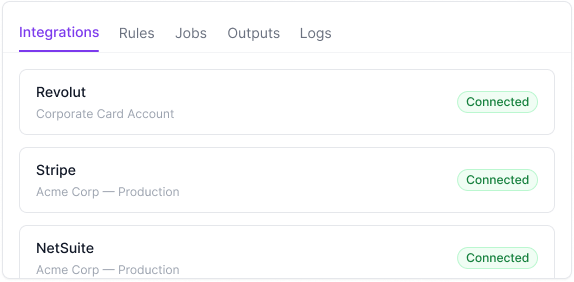
Connects to Your Systems
Connect your expense platform, PoS, and ERP. The Data Agent pulls transactions from wherever your team spends, transforms the data against your rules, and pushes clean, coded entries into your accounting system. No spreadsheets. No manual reconciliation.
Your Transformation Rules, Applied Every Time
GL mapping, currency conversion, entity splitting, field formatting, and transaction categorisation. Captured clearly and applied consistently to every job. No more spreadsheet manipulation. No more copy-paste errors.

Review Before Anything Exports
Every transformation job produces an output your team can review before it goes anywhere. Source data on the left. Clean output on the right.
Check the mapping. Verify the totals. Spot anything unusual. When it looks right, approve and export. Nothing leaves the system without meeting the controls you defined.
Built-in Validation, Every Job
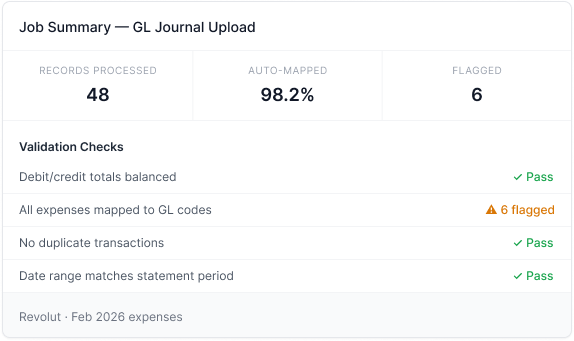
Every transformation job runs a set of validation checks before the output is finalised. Totals balanced. No duplicates. All records mapped. Date ranges verified.
If anything fails, such as an unmapped transaction, balance mismatch, or missing field, it is flagged immediately with a clear explanation. Your team resolves exceptions before the data goes anywhere.
Full Visibility. Full Audit Trail.
Every transformation explained. Every action logged.
See Why Every Transformation Was Made
For every field the agent maps, converts, or categorises, you can open the reasoning panel and see why. Which rule was applied, what source data was used, and how the output was derived. If something looks off, the full trail is there.
Full Audit Trail, Every Job
Every stage a transformation job passes through is logged. When it was triggered, what rules were applied, who reviewed the output, and when it was exported. Searchable, filterable, exportable.

See How Numra Can Automate Your Data Transformations.
Book a call and we'll show you the agent transforming real financial data.
See a Demo